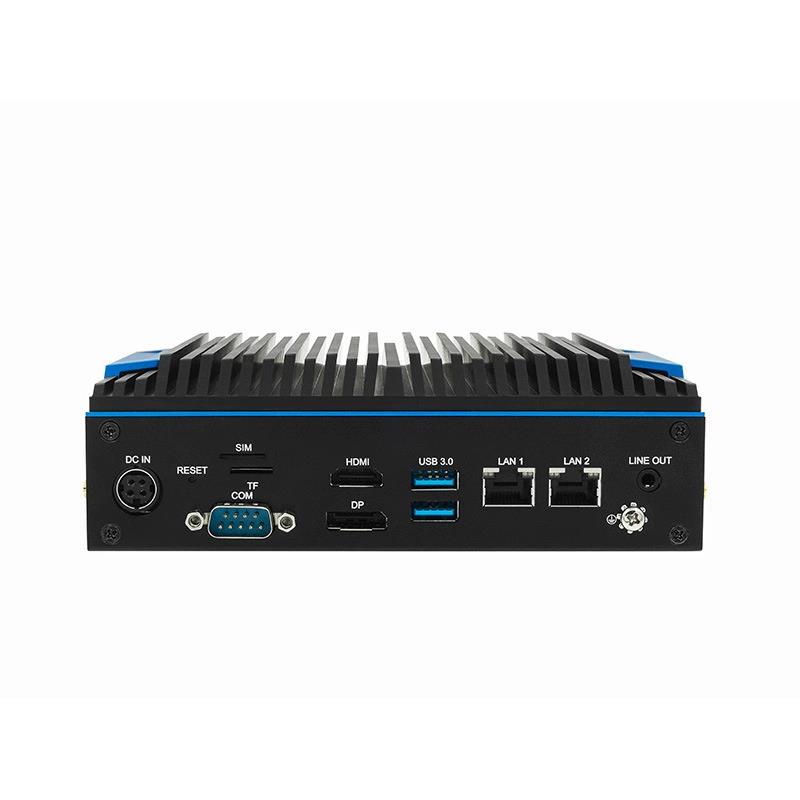
Detailed application directions built around one configurable C5 BOX platform.
Android or Linux
Application
USB + serial
Peripherals
HDMI + DP
Display
Firmware and branding
OEM
Why this application is difficult
Design for the real deployment, not only the demo.
Each page separates the hardware foundation from project-specific software, environmental, security and acceptance requirements.
01
Peripheral combinations are unique
Printers, scanners, card readers, cameras and control boards need tested drivers and power budgets.
02
Equipment must recover unattended
Boot, application launch, watchdog, storage and power-loss behavior need deterministic design.
03
Remote updates can create downtime
Signed packages, staged rollout, rollback and service access must be planned.
04
Payments and personal data raise risk
Security boundaries, PCI scope and data ownership need specialist review.
Reference architecture
A clear path from source to business outcome.
Interfaces and responsibilities are frozen during feasibility review and verified with the target equipment.
USER INTERFACE
Touchscreen and display
Application UI, media, status and assisted workflows.
CONTROL TERMINAL
C5 BOX
App runtime, peripheral services, local rules, logs and updates.
MACHINE I/O
Control board and devices
Serial controller, sensors, printer, scanner, reader and camera.
CLOUD OPS
Business platform
Configuration, content, transactions, telemetry and support.
Detailed capabilities
What the solution must do.
C5 BOX supplies compute and I/O. The complete solution includes project software, configuration, documentation and evidence.
Application runtime
Run the approved Android or Linux application with controlled startup and kiosk behavior.
Peripheral services
Integrate a frozen list of USB and serial peripherals and document driver versions.
Machine control
Exchange defined commands and status with a control board using serial or network interfaces.
Local continuity
Cache necessary configuration and queue permitted events while offline.
Remote service
Collect health and logs and apply authenticated updates with rollback.
Deployment method
Move from requirements to a repeatable rollout.
Use gated engineering steps so that performance, responsibility and support boundaries are visible before production.
01
Equipment definition
List every display, peripheral, control signal, payment path and enclosure constraint.
02
Driver validation
Test enumeration, power, suspend/resume, disconnect and replacement devices.
03
Recovery design
Validate boot, app relaunch, watchdog, power loss and corrupted-state handling.
04
Security review
Separate payment, identity, customer and service responsibilities.
05
Pilot fleet
Operate representative units and track support hours, failures and update success.
PoC and acceptance
Evidence to collect before production.
Acceptance criteria should be written into the PoC plan and measured under representative load and failure conditions.
Peripheral matrix
Model, firmware, driver, port, power and replacement policy.
Boot behavior
Time to ready, kiosk launch, failure handling and service access.
Control protocol
Command, acknowledgement, timeout, retry and safe state.
Offline mode
What continues, what queues and what is blocked without network.
Update
Signing, staged rollout, rollback and recovery from interruption.
Lifecycle
Golden image, spares, RMA, PCN and support period.
Solution boundary
Payment certification, safety certification, regional radio approval and enclosure-level testing are not implied by the base C5 BOX platform. They must be assessed for the finished equipment.
Recommended starting configuration
C5-BOX
Finalize the SKU only after the interfaces, workload, environment, software scope and certification route are known.