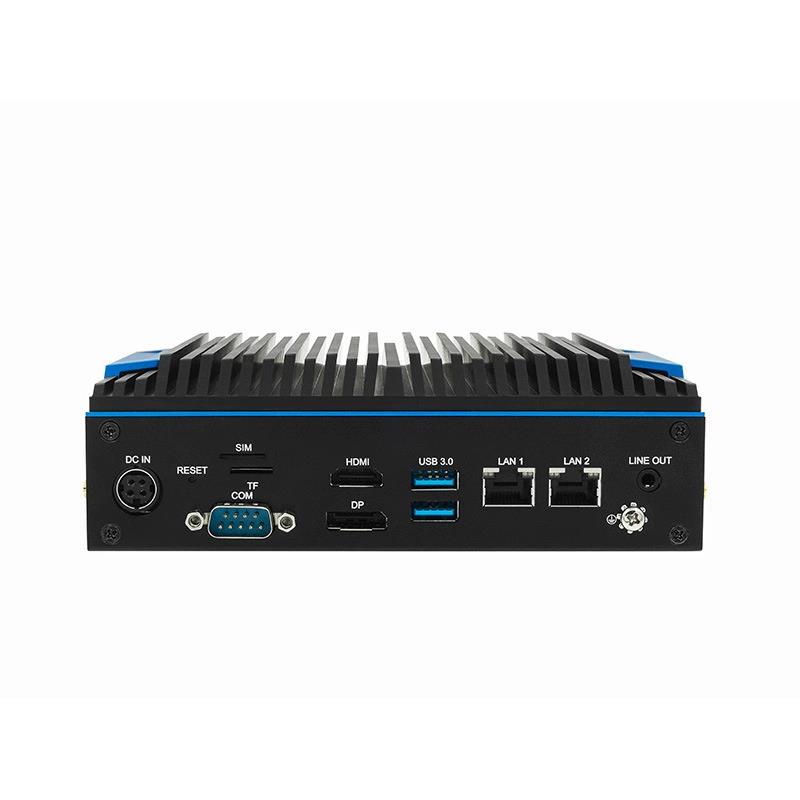
Use C5 BOX as a compact edge node between serial equipment, local I/O and upstream applications. Dual Gigabit Ethernet supports separated equipment-side and business-side networks.
Detailed application directions built around one configurable C5 BOX platform.
Up to 4 COM
Serial I/O
2 x Gigabit Ethernet
Networking
GPIO available
Local I/O
Android or Linux
Software
Why this application is difficult
Design for the real deployment, not only the demo.
Each page separates the hardware foundation from project-specific software, environmental, security and acceptance requirements.
01
Legacy interfaces remain in production
PLCs, meters and controllers may continue to rely on RS232 or RS485 long after the upstream software stack has changed.
02
Cloud dependence creates operational risk
Collection, alarms and control rules may need to continue when the WAN or business platform is unavailable.
03
Equipment and IT traffic need separation
Dual physical Ethernet interfaces can support an equipment-side network and a separate upstream connection.
04
Field behavior must be testable
Polling intervals, buffering, watchdog behavior and recovery must be defined rather than assumed.
Reference architecture
A clear path from source to business outcome.
Interfaces and responsibilities are frozen during feasibility review and verified with the target equipment.
FIELD DEVICES
PLCs and instruments
Meters, controllers, sensors and serial equipment.
EDGE I/O
C5 BOX connectivity
Serial ports, GPIO, USB and equipment-side Ethernet.
LOCAL SERVICES
Protocol and rules
Parsing, thresholds, buffering, logs and application logic.
FIELD DEVICES
MES or cloud
Selected data, events and diagnostics over the second LAN.
Detailed capabilities
What the solution must do.
C5 BOX supplies compute and I/O. The complete solution includes project software, configuration, documentation and evidence.
Serial data acquisition
Connect defined RS232/RS485 devices and document baud rate, framing, register maps and connector assignment.
Store and forward
Buffer selected records during an outage, track queue health and forward data after connectivity returns.
Local HMI
Display machine state, alarms, trends and maintenance information through HDMI or DP.
I/O linkage
Use GPIO for alarms, relays or machine-state signals after electrical requirements are confirmed.
Remote operations
Collect logs, expose health metrics and use a controlled update and rollback process.
Deployment method
Move from requirements to a repeatable rollout.
Use gated engineering steps so that performance, responsibility and support boundaries are visible before production.
01
Inventory
List every device, protocol, serial mode, polling interval and data point.
02
Bench integration
Validate cabling, protocol handling, timing, buffering and watchdog behavior.
03
Site pilot
Install on one line or machine and measure network, power and environmental behavior.
04
Acceptance
Run a 72-hour test with disconnects, restarts and recovery events.
05
Replication
Freeze the hardware, image, configuration and commissioning checklist.
Why this application is difficult
Design for the real deployment, not only the demo.
Each page separates the hardware foundation from project-specific software, environmental, security and acceptance requirements.
Protocol compatibility
Verified device and register list; no unsupported protocol claims.
Acquisition timing
Measured poll cycle and end-to-end data latency under expected load.
Offline recovery
Defined queue size, retention policy and successful retransmission after outage.
Power recovery
Automatic application restart and state recovery after abrupt power loss.
Soak test
72 hours at representative CPU, I/O, network and storage load.
Security
Unique credentials, signed update path, service exposure and remote-access policy.
Solution boundary
C5 BOX provides the hardware platform. Protocol drivers, isolation, surge protection, connector mapping and field certification must be confirmed for the selected build and installation.
Recommended starting configuration
C5-BOX
Finalize the SKU only after the interfaces, workload, environment, software scope and certification route are known.